Legacy System Modernization for Businesses

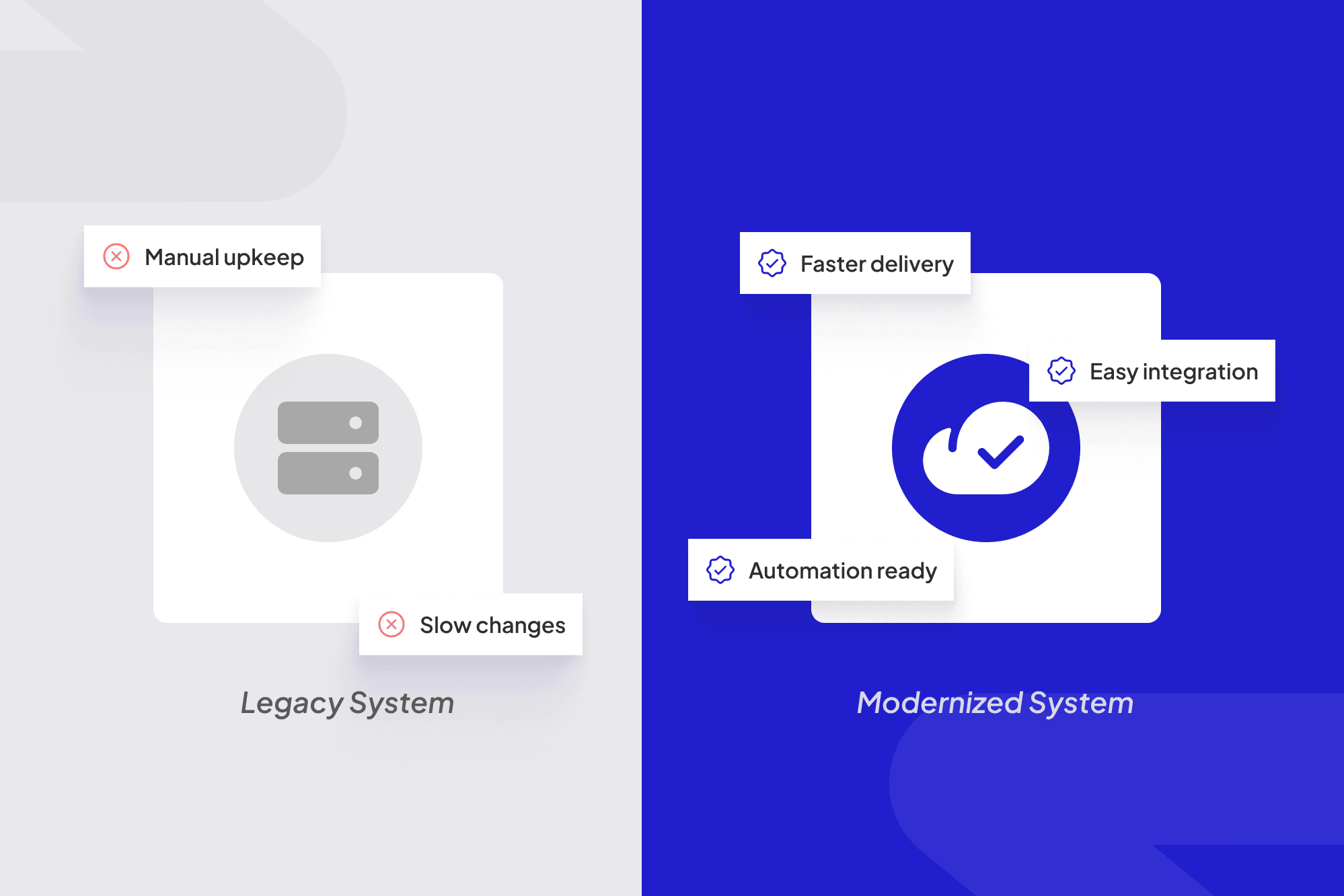
Every growing business eventually hits the same wall: the old system that “still works” starts holding everything else hostage. It slows down decision-making, blocks integrations, and limits how fast teams can move.
Legacy systems were once the backbone of operations, but in today’s cloud-first, AI-driven environment, they’ve become digital bottlenecks. They can’t handle real-time data, automation workflows, or the security standards that modern platforms demand.
Here’s what it often looks like inside a company relying on legacy tools:
- Reports take days to generate because data lives in multiple disconnected systems.
- Employees depend on IT just to make small changes or pull performance numbers.
- Adding new features costs more time and money than building something new.
- Security patches and compliance updates become a monthly headache.
The result? A system that technically works, but silently drains growth potential. Modernizing isn’t about “keeping up with tech trends.” It’s about keeping your business competitive, scalable, and ready for the next decade.
What Is Legacy System Modernization?
In simple terms, legacy system modernization means upgrading old software or infrastructure so it meets current business and technology needs, without losing what already works well.
It’s not just about rewriting code. It’s about rethinking how your systems support operations, customers, and data in a faster, more connected world.
There are usually three layers involved:
- Infrastructure modernization - moving from on-premise servers to cloud environments like AWS, Azure, or Google Cloud.
- Application modernization - refactoring or rebuilding outdated systems to support APIs, automation, and real-time data.
- Process modernization - aligning workflows, permissions, and data flows with how teams actually work today.
Think of it as remodeling your business’s digital foundation. You keep the core structure that still adds value — but replace everything that slows you down.
When done right, modernization unlocks agility.
You can add new tools, connect with vendors and clients faster, and automate processes without fighting against old frameworks.
The Hidden Costs of Sticking to Legacy Systems
Many companies avoid modernization because “the system still works.” But what they don’t see are the hidden costs quietly stacking up behind the scenes.
Here’s where legacy systems really hurt:
Category
Hidden Cost
Impact
Maintenance
Constant patching, outdated integrations, unsupported code
Rising IT expenses and dependency on a few developers who understand it
Productivity
Manual data entry, slow performance, disconnected tools
Hours lost weekly per employee just managing inefficiencies
Scalability
Inability to integrate with modern APIs or platforms
Stunted growth and slow response to new business opportunities
Security
No longer compliant with latest standards
Increased risk of breaches, data loss, and regulatory penalties
Innovation
Hard to test or deploy new tools
Missed chances to automate and experiment
According to Gartner, organizations spend up to 80% of their IT budgets maintaining legacy systems, leaving little room for innovation. The longer you wait, the harder modernization becomes, as dependencies deepen and available expertise fades.
Modernization isn’t just an IT project; it’s a strategic investment that reduces long-term costs while opening the door for automation, analytics, and AI.
Modernization Strategies: From Quick Fixes to Full Rebuilds
Modernizing a legacy system doesn’t mean throwing everything away and starting from scratch. The right strategy depends on your system’s condition, business goals, and timeline. In many cases, this also determines whether a company modernizes with custom or ready made portals.
Here are the four most common modernization paths businesses follow, from least to most transformative:
- Rehosting (“Lift and Shift”)
- Move existing applications from on-premise servers to the cloud with minimal changes.
- Fastest and most cost-effective starting point for companies needing better performance and accessibility.
- Best for: systems that work fine but need scalability and lower infrastructure costs.
- Replatforming
- Adjust or reconfigure your app to take advantage of cloud features, like managed databases or containerization.
- Involves light code changes to improve performance and integration capabilities.
- Best for: teams wanting better agility without rewriting everything.
- Refactoring
- Rebuild the application’s internal code structure while keeping its functionality the same.
- Improves performance, security, and integration readiness.
- Best for: complex systems that need long-term scalability and new automation capabilities.
- Rebuilding (or Replacing)
- Start fresh using modern architectures or custom built portals (like microservices or serverless) while migrating core business logic.
- This is the most intensive option, but also the most future-proof.
- Best for: legacy systems that limit innovation or are too outdated to salvage.
Each of these paths can deliver value, the key is choosing one based on business impact, not just technology preference. At ScaleLabs, we often blend these strategies, starting with rehosting or refactoring to deliver quick wins while planning a full rebuild in phases.
Real-World Example: Turning a Legacy System into a Cloud-Native Platform
Let’s take a simple example, a manufacturing firm still running its production management system on a local server built in 2008.
The Problem:
- Their software worked, but performance slowed whenever multiple users logged in.
- They couldn’t integrate modern tools like IoT sensors or production analytics dashboards that supports digital transformation in manufacturing.
- Maintenance required one developer familiar with the old language, who was nearing retirement.
The Approach:
ScaleLabs started with a replatforming + refactoring hybrid plan.
- We moved their system to a secure AWS environment.
- Rebuilt core modules in Node.js and React while preserving their core business logic.
- Introduced APIs to connect their data with inventory, IoT sensors, and accounting systems.
- Added a simple web dashboard that visualized live production data.
The Outcome:
- Page load times dropped by 65%.
- The team gained real-time visibility into machine downtime and production rates.
- Maintenance costs fell by 40% since updates could now deploy remotely.
Instead of replacing everything, we helped them modernize in stages, keeping what worked, fixing what didn’t, and preparing their foundation for automation.
How ScaleLabs Approaches Modernization Projects
At ScaleLabs, modernization isn’t a one-size-fits-all checklist. Every project starts with listening — understanding where your legacy system fits into your business and what’s breaking your flow.
Here’s how we typically approach a modernization engagement:
- Audit & Assessment
We analyze your system architecture, workflows, dependencies, and integrations. Our goal: identify the technical debt and the fastest wins with the lowest risk.
- Modernization Roadmap
We design a step-by-step plan outlining which parts can be moved, rebuilt, or refactored — all while minimizing downtime. We prioritize automation opportunities where repetitive tasks can be eliminated.
- Technology Selection
We recommend frameworks, languages, and cloud infrastructure that align with your long-term goals, not just what’s trendy. Examples: AWS Lambda for event-driven tasks, React for UI upgrades, or GraphQL for API efficiency.
- Development & Migration
Our engineers rebuild core modules, migrate data, and integrate with modern platforms (like CRMs, ERPs, or vendor portals). We handle testing and deployment to ensure business continuity throughout the process.
- Optimization & Automation
Once the foundation is stable, we add automation, dashboards, and data analytics to help teams work smarter - not harder.
Modernization isn’t just about replacing technology; it’s about turning old systems into growth engines. That’s why our focus is always on usability, automation, and long-term scalability, not flashy tech stacks.
Key Benefits: What Businesses Gain After Modernization
When legacy systems evolve into modern, cloud-based platforms, the results are hard to ignore. Companies not only save on IT costs but also unlock agility across teams, data, and decision-making.
Here’s what modernization typically delivers:
Benefit
What It Means for Your Business
Speed & Scalability
Applications run faster, scale automatically, and handle higher user loads with ease.
Lower Maintenance Costs
Cloud environments and modular code reduce downtime and IT dependency.
Better Integrations
APIs and webhooks connect systems like CRMs, ERPs, and analytics platforms seamlessly.
Security & Compliance
Modern frameworks and hosting environments align with today’s data protection standards.
Automation Readiness
Modern systems support AI, process automation, and data-driven workflows out of the box.
Improved User Experience
Clean, intuitive interfaces replace outdated screens that frustrate users.
More importantly, modernization makes your tech future-ready. Instead of being stuck fixing bugs or compatibility issues, teams can focus on what drives growth, launching new products, improving customer experience, and scaling operations without rebuilding from zero again.
Conclusion: Future-Ready Starts with Modernizing Today
Legacy systems once powered your success, now they may be quietly slowing it down. The longer they stay, the harder it becomes to adapt, integrate, or innovate.
Modernization isn’t just a tech project, it’s a business transformation. It’s about keeping what’s valuable, fixing what’s broken, and building what’s next.
At ScaleLabs, we specialize in turning outdated systems into powerful digital platforms that grow with your business, combining technical precision with real-world practicality.
If your current system is showing its age, it might be time for a conversation about how to modernize smarter, not riskier.