Customer Portal Development That Keeps Customers in the Loop
ScaleLabs delivers B2B customer portal development that replaces email overload with one secure place for updates, files, tickets, and approvals. Give customers clear visibility, reduce support back-and-forth, and keep projects moving without inbox chaos.
What “No Customer Portal” Really Costs You
Running customer work through email threads, chat messages, and spreadsheets doesn’t just feel messy. It slows replies, creates misunderstandings, and adds hidden costs as your customer base grows.

Deals slip when communication gets buried
Important details sit in long email chains. Your team spends the day chasing, forwarding, and re-sending updates instead of closing work and helping more customers.

Trust drops when customers lose visibility
Once customers sign off or place an order, they expect clear progress. When they can’t see where things stand, the “what’s going on?” messages start, and renewal or reorder risk goes up.

Manual admin work burns real money
If staff are copying data into spreadsheets, building one-off status emails, and hunting for files, that’s time not spent on proactive support or expansion.
Why Businesses Invest in Customer Portal Development
A customer portal gives your customers one place to track work, view documents, and approve steps, while your team gets a structured way to run high-volume accounts without chaos.
Email chaos slows everything down
When updates live in scattered replies, teams waste hours just rebuilding context. A portal keeps messages, files, and decisions together on the customer record so work keeps moving.
Customers want simple status, not your whole backend
Customers don’t need every internal detail. They just want to know: Is this in review, in progress, or done? A B2B customer portal shows high-level status and next steps without exposing internal tools.
Account managers stop being human routers
Instead of routing every update by hand, your customer portal sends notifications when a status changes, a document is ready, or an approval is needed. Account managers can focus on strategy, not chasing.
Data becomes one shared source of truth
Tickets, orders, documents, and approvals move through one system. Your reports and handoffs stop depending on someone’s personal spreadsheet or inbox.
Core Customer Portal Features We Build
ScaleLabs focuses on customer portal development that matches your workflow. The result is a simple front-end for customers and a structured backend for your team.

Customer Dashboard & Status View
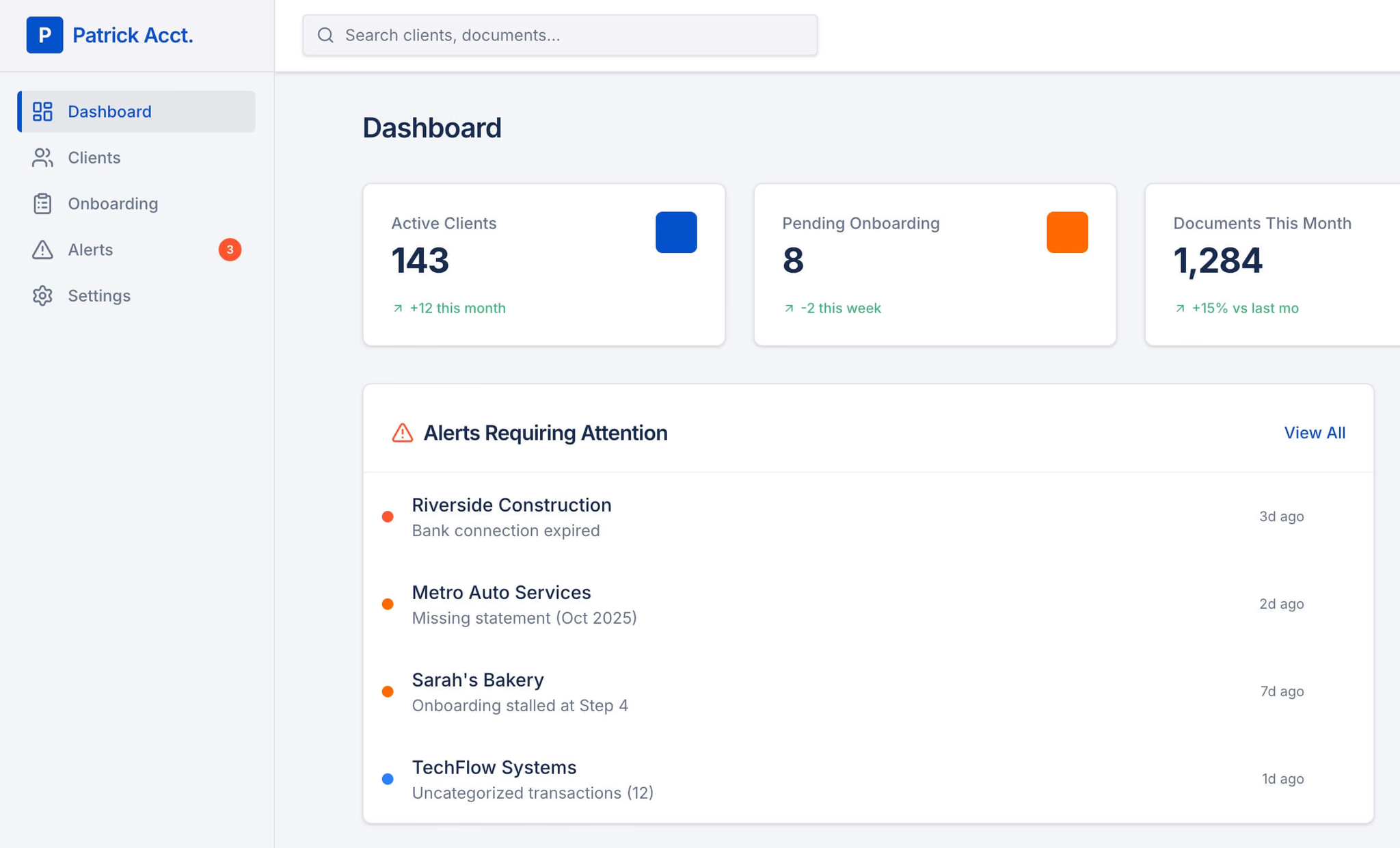
Give customers a clear dashboard with active projects, tickets, or orders and simple stages like Received, In Review, In Progress, Completed.

File Sharing and Document History
Allow customers to upload and download contracts, reports, proofs, and forms from one secure place with organized folders and version history.
Self-Service Actions
Let customers handle simple tasks, updating details, uploading documents, asking questions, or requesting changes, without needing a long email thread.
Centralized Messages and Updates
Keep all conversation tied to the project or ticket, so your team and customers see the same history without digging through old emails.
Approvals and Sign-Offs
Collect approvals for designs, changes, and milestones inside the portal, with timestamps and a clear trail of who decided what.
Secure Access and Roles
Use role-based access so different customer contacts see the right projects and documents, while internal notes and sensitive data stay protected.
Results From Real Customer Portal Projects
How teams use customer portal development to cut email noise, improve visibility, and free up coordinator time.
Support inbox finally calmed down
- Moved project updates and files out of scattered email threads
- Customers now check the portal first for status instead of “any update?” emails
- Support team spends more time solving issues, less time forwarding messages
Customers stopped chasing for status
- High-level stages (Received, In Review, In Progress, Completed) visible in one dashboard
- Fewer “where are we at?” calls and one-off status reports
- Stronger renewal conversations because customers see steady progress
Coordinators got time back
- Centralized messages, files, and approvals under one customer web portal
- Less manual updating of spreadsheets and recap emails
- Capacity to handle more accounts without burning out
Give Customers the Status View They Keep Asking For
Customers don’t want to learn your internal tools. They just want a simple view that shows what’s active, what’s in progress, and what’s done. With B2B customer portal development, we build dashboards that show clear stages, recent activity, and next steps, so customers feel informed without your team living in the inbox.

Connect the Customer Portal to Your CRM, ERP, and Support Tools
We design your customer portal development project to fit the stack you already use. Pull key data into the portal, push status updates back, and keep documents and approvals tied to the right account or project without duplicate entry.









Where Customer Portals
Make the Biggest Difference
Customer portals work best where there are lots of moving parts, approvals, and documents. We tailor each B2B customer portal development project to your delivery model.
Engineering & Technical Services
Customers need reports, approvals, and status across multiple projects. A portal centralizes documentation and makes billing discussions easier because everything is in one place.

Marketing, Print, and Production Teams
When you’re handling recurring orders or campaigns, customers want quick answers on where jobs stand. A portal shows stages and files so your sales and account teams aren’t fielding constant status pings.

Consulting, Agencies, and Retainers
For ongoing retainers, customers care about what’s in progress, what’s shipped, and what’s next. A customer web portal gives them a clean view of current work, deliverables, and key dates.

Customer Data Protected
at Every Step
A customer portal carries sensitive files, approvals, and communication. As a customer portal development company, we design access rules and controls so customers feel safe using the portal and your team keeps oversight.
Role-Based Customer Access
Decide which customer contacts can see which projects, tickets, and documents, so every login shows the right slice of work.
Audit Trail for Updates and Approvals
Track uploads, comments, approvals, and status changes with timestamps. When questions come up, there’s a clear record of what happened.
Secure File Handling
Store reports, contracts, proofs, and attachments inside the portal with consistent structure and controlled access instead of random shared links.
Account Controls and Permissions
Manage users, limit actions, and apply rules by account or project so the portal stays clean and scalable as you add more customers.
How We Build Your Customer Portal
We keep the process clear: define the customer-facing experience, build around your workflow, then refine once real customers are using it.
Step 1
Map Customer Journeys and Statuses
We define what customers should see at each stage (for example: Received, In Review, In Progress, Completed) and which events trigger updates.
Step 2
Design Portal Screens and Roles
We design the customer portal dashboard, project/ticket views, document areas, and permissions for customers, internal teams, and stakeholders.
Step 3
Add Integrations and Automation
We connect CRM/ERP or other tools where needed and add automations for notifications, approvals, and status changes to cut manual follow-ups.
Step 4
Launch, Learn, and Improve
We go live, gather feedback from your team and customers, and refine the portal so it stays easy to use as volume grows.
FAQ
How is a customer portal different from a client portal?
In most B2B setups, “customer portal” and “client portal” describe the same idea: a place where customers log in to see work, files, and updates. Our B2B customer portal development focuses on your labels, stages, and workflows, not the terminology.
What can a customer portal help us manage?
A custom customer web portal can handle project status, tickets, orders, approvals, and document sharing. Everything lives in one consistent space instead of scattered across email threads, shared drives, and spreadsheets.
How does a customer portal reduce email chaos?
Instead of long email chains, customers see a dashboard with their active work, recent activity, and next steps. Messages, files, and approvals stay linked to the project so your team spends less time forwarding and recreating context.
Can you build a portal around our existing tools?
Yes. As a customer portal development company, we design the portal to sit on top of your current stack. We can connect CRM, ERP, billing, or internal tools so data flows cleanly and your team doesn’t have to double-enter information.
Is the portal secure for sharing reports and documents?
Yes. We use role-based access and controlled permissions so each customer contact only sees the right projects and files. Approvals, uploads, and status changes are tracked, giving you a clear audit trail when questions come up.
How long does customer portal development usually take?
Timelines depend on scope, number of workflows, and integrations. Many teams start with a focused customer portal MVP for status, documents, and approvals, then expand into deeper automation and reporting once customers are using it.
Who is a good fit for B2B customer portal development?
You’re a strong fit if you handle recurring projects, complex approvals, or lots of documents and your team feels stuck in email. A B2B customer portal gives your customers self-serve visibility and frees your team to focus on higher-value work.
Client Portal, Vendor Portal & Customer Portal Success Stories
We helped Hopkinson agents win more
“The Discovery Project gave me a roadmap of how I can move my business forward with technology. It covered not only solutions for the problems we were experiencing, but surprisingly it let me see dozens of different branches we can go with our company because technology enables it. Every time we look at the report, we keep getting new ideas of how we can be more efficient, provide new services, and strategically grow.”
We helped Aspire agents win more
“The work Scale Labs did saved us 80% of the time it takes to onboard new agents. They’re a true partner. If you want to understand the ins and outs of how the product you’re paying for works, and you want someone who truly cares about how it works for your team to get the ultimate outcome, I’d recommend Scale Labs all day.”

Tech-powered Real Estate company who exists to make luxury vacation home ownership accessible
“Working with scale labs is not the same as working with an Agency. You get technical oversight from someone who you can trust to make the right decision. And you can scale your team through with their pre-vetted & trained developers from Impostorschool.dev”